

Appearance
The plugin has a very efficient save and load system. Combined with Unreal's builtin Save System, it allows you to save your voxel worlds to disk!
Overview
Voxel saves are stored in structs. You have two kind of saves:
- Uncompressed: the data is stored uncompressed. Instant save/load, but takes up some memory.
- Compressed: the data is compressed. Takes much less memory, but takes longer to create/load, as the data needs to be compressed/uncompressed.
You can get a save from the world using the following functions:
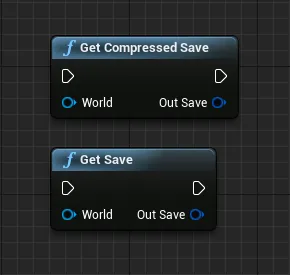
You can then store the save structs in a Save Game.
For an example of Save Game, see /Voxel/Examples/ComplexController/VoxelComplexController_SaveExample and the Unreal Docs:
https://docs.unrealengine.com/en-US/Gameplay/SaveGame/index.html
https://www.youtube.com/watch?v=_4usRrTiqak
To load the saves, use the following functions:
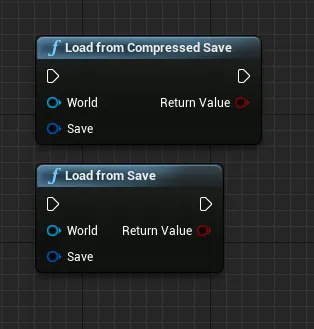
Example
You can find an example of save/load in /Voxel/Examples/ComplexController/VoxelComplexController_UI:
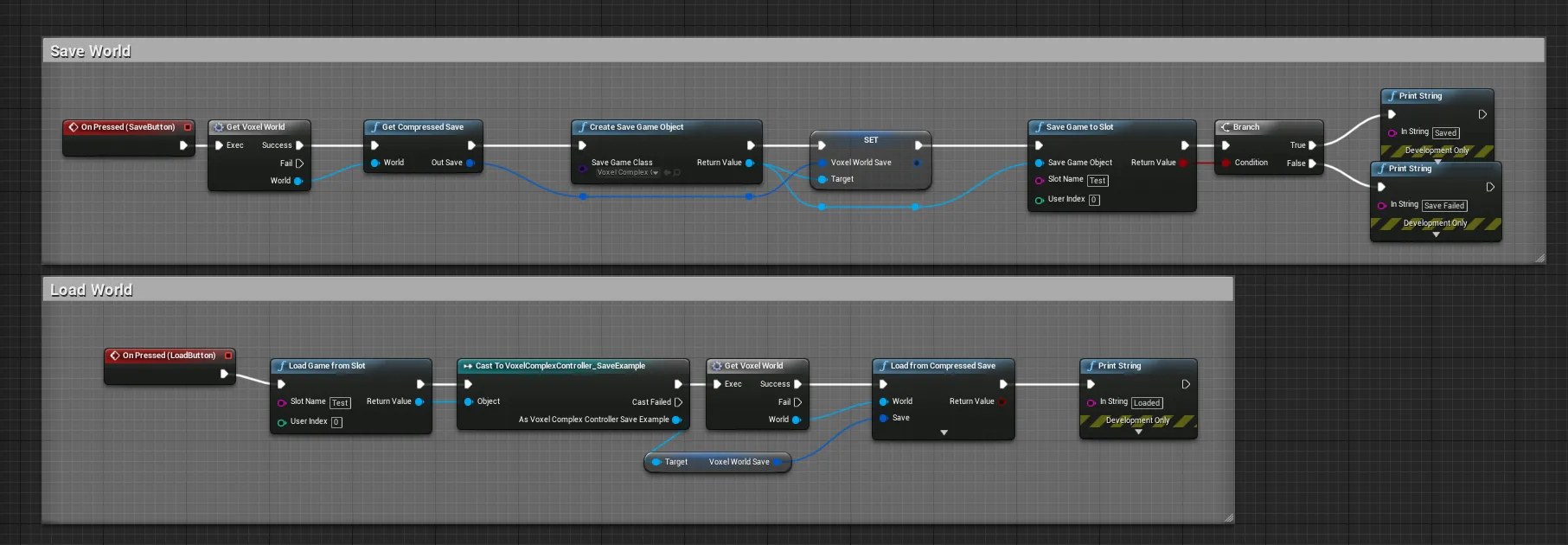
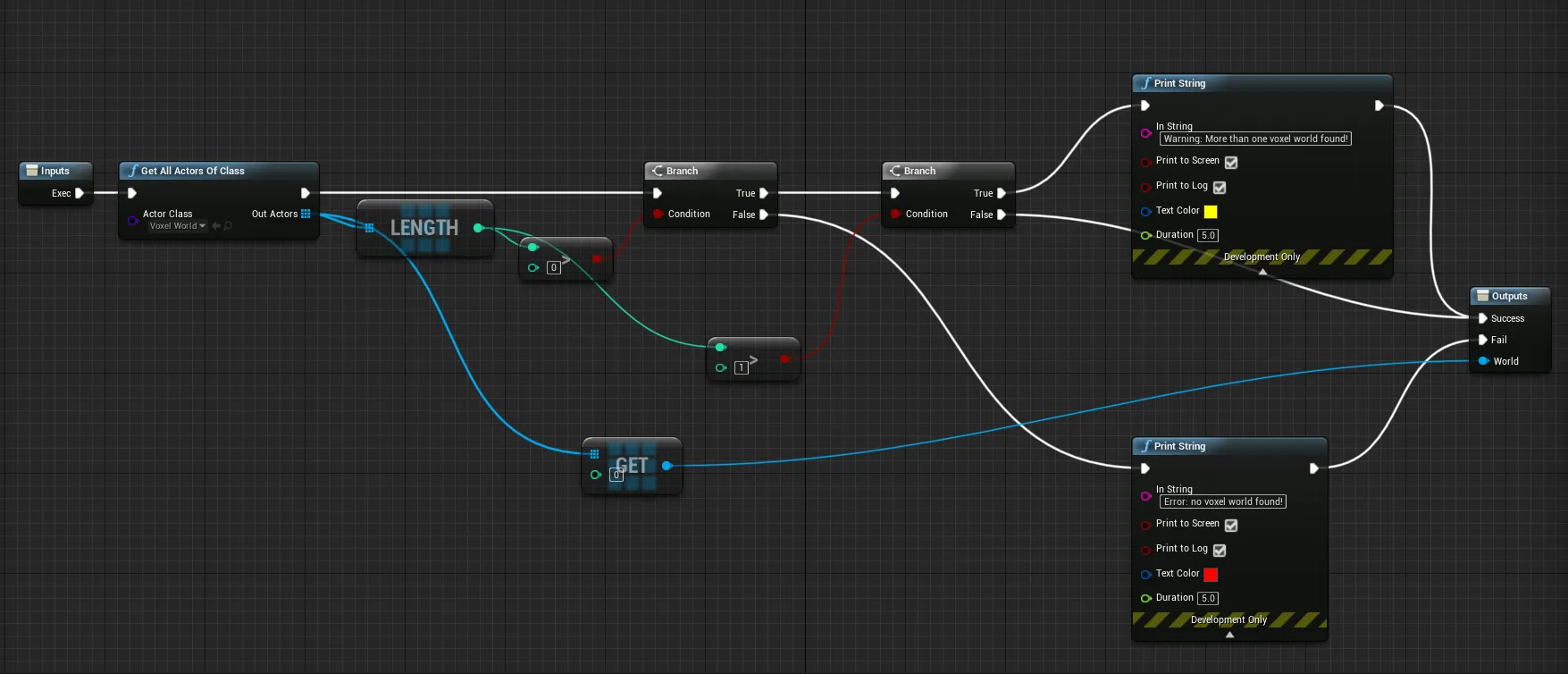
GetVoxelWorld simply iterates all the voxel worlds in the scene:
Spawner Saves
Saving voxel spawners positions requires some more work. See Voxel Spawners.